
Import a token
PackSwap’s list holds tokens that have been checked, each with a verified badge. Any other token on DogeOS can still be swapped: you import it with its contract address.
- In the Sell or Buy box, press the token button.
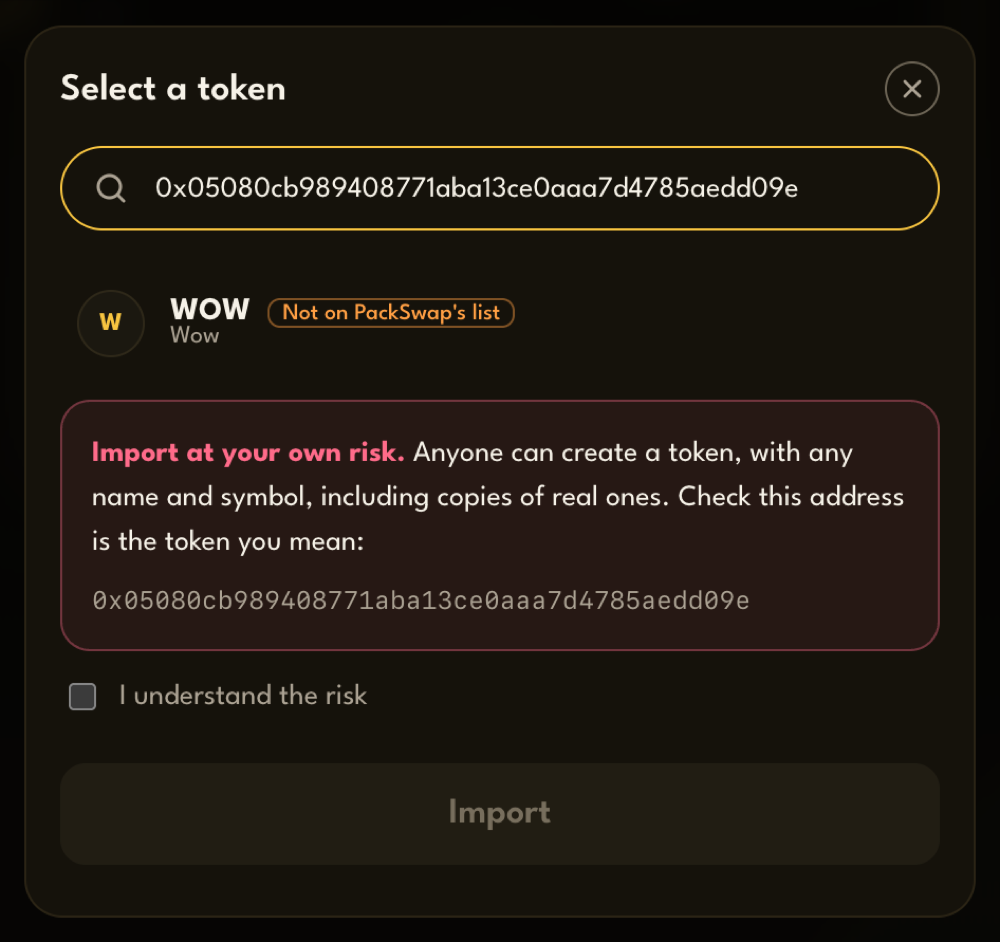
- Paste the token’s contract address into Search by token symbol or address.
- PackSwap reads the token from the chain and shows its symbol and name, marked Not on PackSwap’s list.
- Read the warning, and check that the address is the token you mean.
- Tick I understand the risk, then press Import.
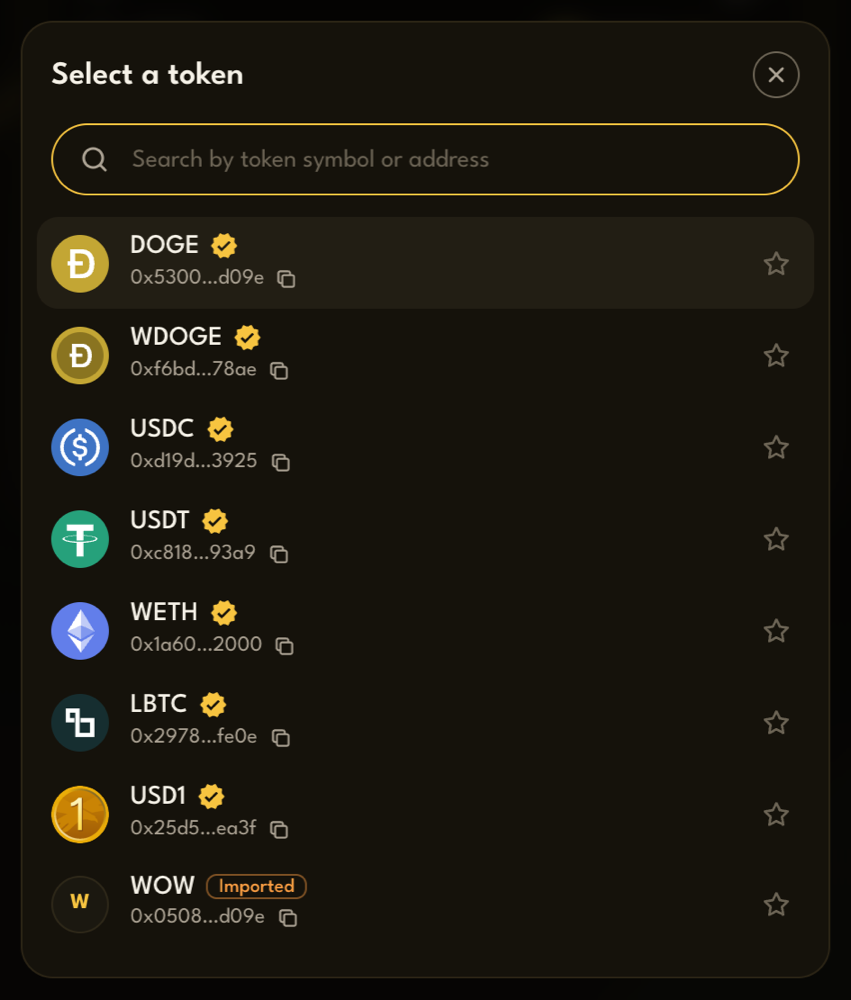
The token is now selected, and it stays in your token list marked Imported.
Good to know
Section titled “Good to know”- Only an address works. Typing a name finds tokens already in your list, so paste the full address to import a new one.
- Imported tokens are saved in this browser. On another device or browser, import them again.
- “This address does not answer like a token” means the address isn’t a token contract. Check you copied the right one.
- “No route for this swap” means no pool on DogeOS holds that token yet, so it can’t be swapped.
- Star a token to keep it at the top of your list.