
Slippage and settings
Press the settings button above the swap boxes, showing your slippage such as 0.05%, to open Swap Settings.
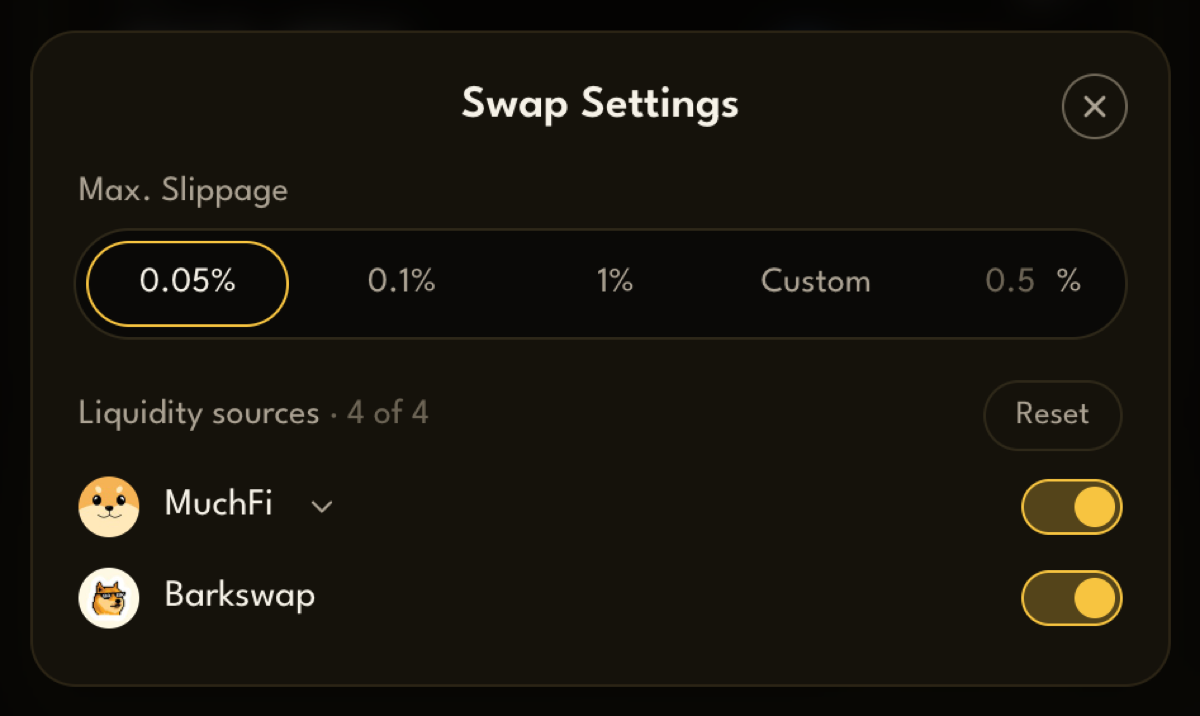
Max. Slippage
Section titled “Max. Slippage”Between the moment you see a quote and the moment your swap lands on-chain, the price can move. Slippage is how much worse than the quote you’re willing to accept.
- Choose 0.05%, 0.1% or 1%, or type your own under Custom.
- The default is 0.05%. The lowest you can set is 0.01%.
Your slippage sets the Minimum received. If the price moves further than you allowed, the swap cancels and your tokens stay in your wallet. You only pay the network fee.
| Slippage | Good for |
|---|---|
| Low (0.05%) | Most swaps. Protects you, but may cancel when prices move fast |
| Higher (1% or more) | Tokens that move a lot, or small pools. More likely to go through, at a price that can be worse |
Liquidity sources
Section titled “Liquidity sources”Under slippage is the list of Liquidity sources: the DEXes PackSwap can route through.
- Turn a source off to keep your swaps away from it. At least one stays on.
- Reset turns them all back on.
Fewer sources can mean a quote that gives you less, so most people leave them all on.
Your settings are saved in your browser for next time.