
Read your quote
Once you’ve entered an amount, PackSwap shows a quote under the swap boxes.
What you see
Section titled “What you see”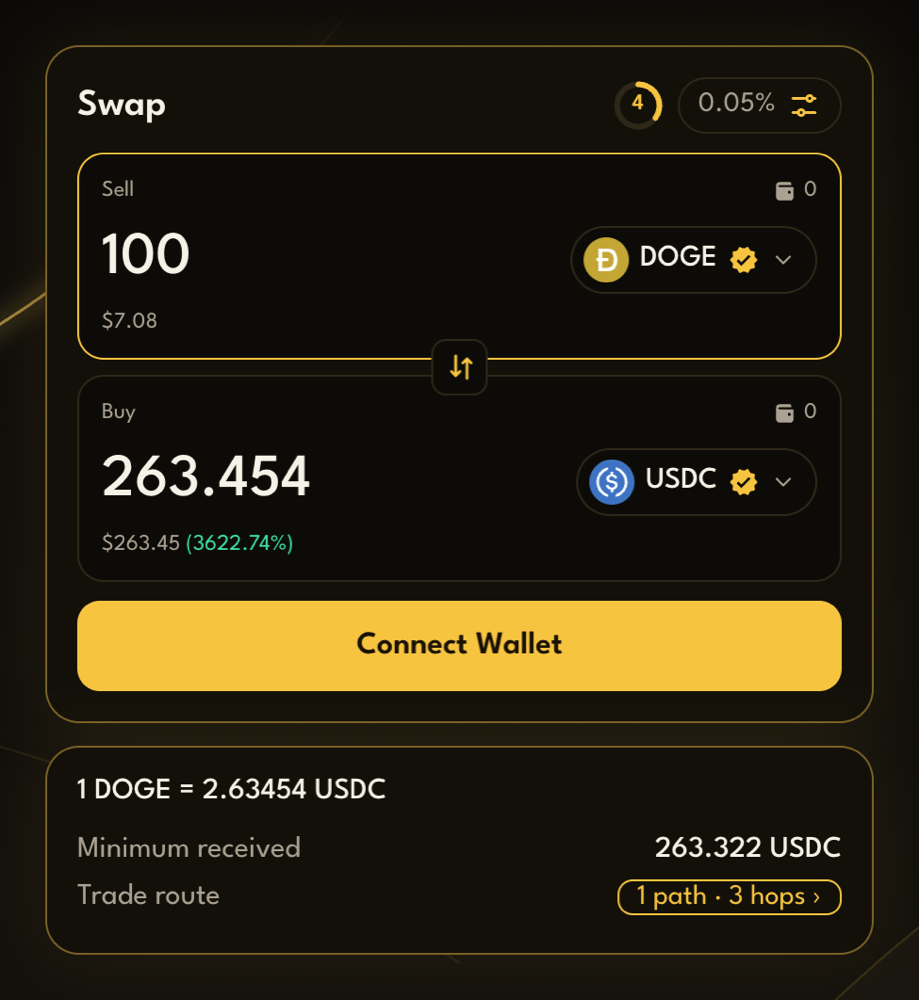
| Line | Meaning |
|---|---|
| 1 DOGE = … USDC | The rate for this swap, at this size |
| Minimum received | The least you’ll get. If the swap would give you less, it cancels and your tokens stay in your wallet |
| Maximum sold | Shown instead when you typed in the Buy box: the most you’ll pay |
| Trade route | How your swap goes through the DEXes. Press it to see the details |
The dollar values under each box are estimates. DOGE and ETH use market prices, and stablecoins count as $1. Other tokens are valued at what they’d sell for in DOGE. Testnet pools hold test liquidity, so these values can differ from your quote.
The route
Section titled “The route”Press Trade route to open Your trade route. It shows:
- Splits: how your amount is divided. For example, 70% through one pool and 30% through another.
- Hops: the steps in each split. A route can go through a token in between, such as DOGE → USDC → another token.
- The DEX used for each step.
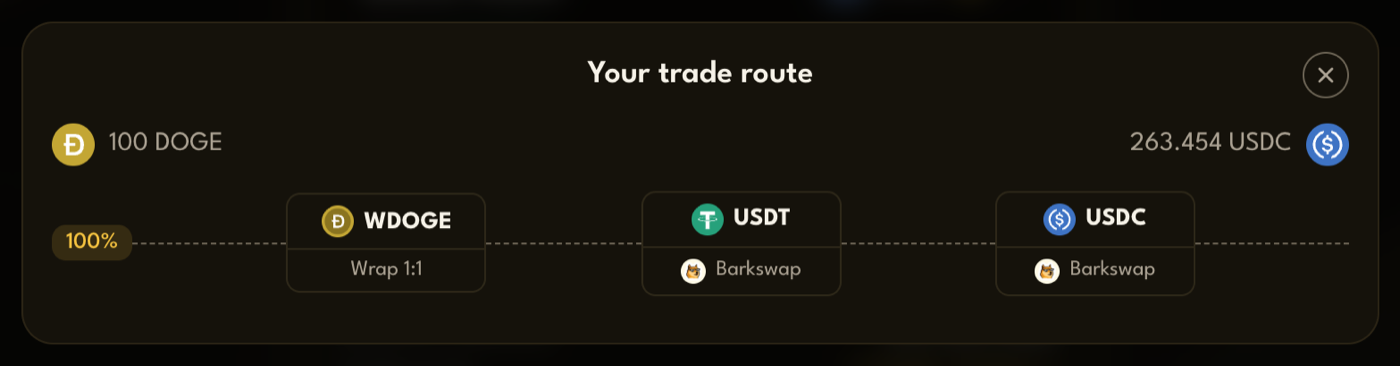
You’ll sometimes see Wrap 1:1. That’s DOGE turned into wrapped DOGE (WDOGE) or back again, always one for one.
The quote refreshes
Section titled “The quote refreshes”Prices move, so the quote updates every 5 seconds. The ring next to the settings button counts down to the next update, and pressing it updates the quote straight away.
- PackSwap’s fee is already included in the amount you see. Nothing is added when you confirm.
- The network fee is paid in DOGE and shown by your wallet when you confirm.